The Autonumber feature in Dataverse Toolbelt assists with configuring the platforms native autonumbering feature and supports
- configuring string columns with new autonumber configurations
- modifying the configuration of existing autonumber columns
- updating the seed (current position) of an autonumber column
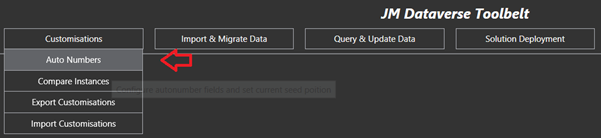
To view and configure autonumbers for a specific table, search and select the desired table from the autocomplete dropdown
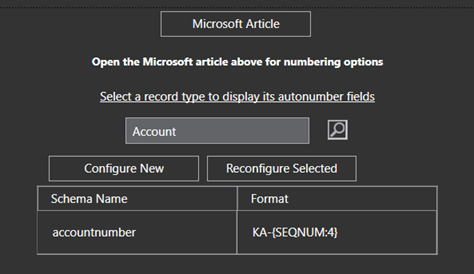
TO configure a new column as an autonumber select Configure New, otherwise to update an existing column click Reconfigure Selected

See Microsoft documentation linked below for Autonumbering options
https://learn.microsoft.com/en-us/dynamics365/customerengagement/on-premises/developer/create-auto-number-attributes?WT.mc_id=DX-MVP-5004940&view=op-9-1#autonumberformat-options
 JM SOFTWARE