Note this documents a feature which is not actively used by the publisher due to minimal work with Portals. Nevertheless the feature should still provide useful features, particularly for deploying custom JavaScript and HTML to portal configuration records
Features for Portal code
- Export code in Microsoft Portal configuration records into a visual studio project
- Right click and deploy code into Microsoft Portal configuration records
- Add Microsoft Portal configuration records into a release package in visual studio solution, which may be right-click deployed into other Dynamics instances
Lets run through an example scenario where I have been tasked with doing some changes for a Microsoft Portal instance
Export Existing Code Into Visual Studio
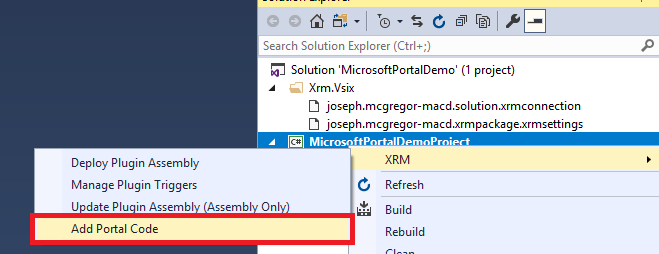
To initiate the export right-click the relevant project and select the option Xrm -> Add Portal Code
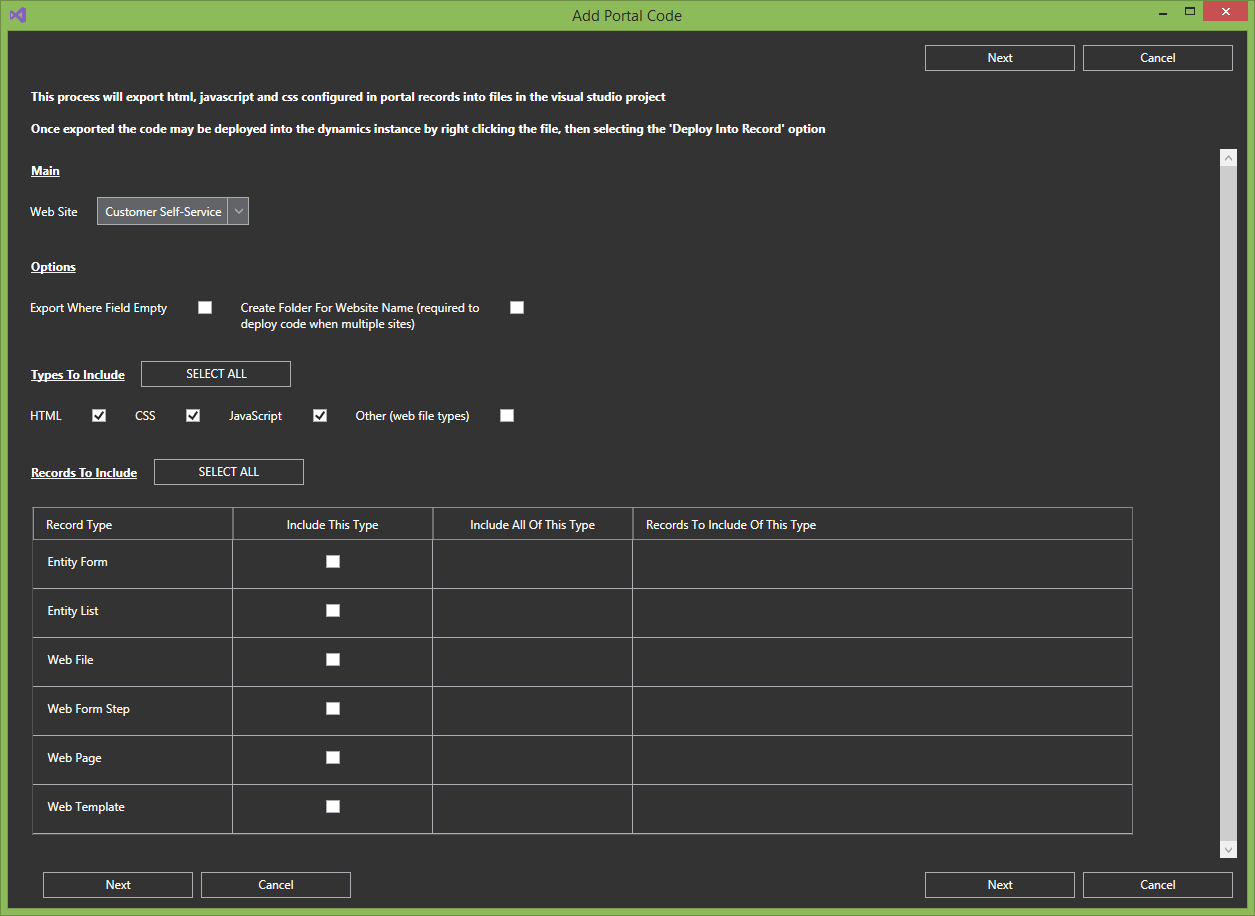
This presents a screen with options for the export. Only items for one specific site may be included in the export, and they may be filtered for specific file/code types, and/or specific records if necessary
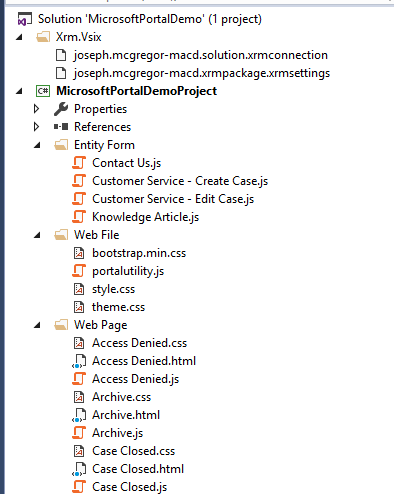
This screenshot shows the project after clicking Next and completing an export. Note
- A folder is created for each record type
- Files are named as per the record name
- Web page records which may contain html, js and css in different fields may have multiple files within the Web Page folder each for the different configuration fields
Deploying Code Changes In Visual Studio To Dynamics
Now we have the code in visual studio lets look at doing a code change and deploying it into the Dynamics instance
This is as simple as right-click the file then Xrm -> Deploy Into Record. The extension uses the name of the file, and its parent folder, to update the relevant field in the matching record
Sometimes it takes a few seconds to synchronise the records updated configuration to the portal, but most of the time in my experience this is relatively quick

Deploying Portal Changes Between Instances
Deploying the Portal code between Dynamics instances may be done using the Create Deployment Package feature. This exports a solution and data into a folder in the Visual Studio solution which may then be right-click deployed into another instance. This is already documented here so I wont go through it again
 JM SOFTWARE