This feature of the extension uploads files directly from solution explorer into Dataverse web resources. It is a very useful for efficiently creating and updating JavaScript or other web resource files into the platform without having to upload manually in the web UI
The Deploy Web Resource button is made available when a compatible file type is right clicked in solution explorer
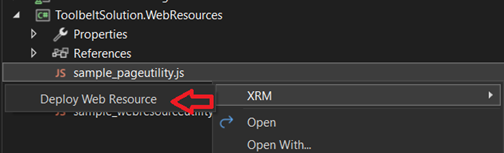
This will run a process to import the selected file(s) into Web Resources
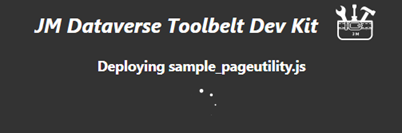
Matching to existing web resources is done by unique name, else display name. That is
- If an existing web resource has the same unique name as the file it is updated with the contents
- Else if an existing web resource has the same display name as the file it is updated with the contents
- Else a new Web Resource is created
Web Resources with paths in their name are not supported by the feature
The following lists file type extensions are enabled for the Deploy Web Resource feature
- css
- gif
- htm
- html
- ico
- jpeg
- jpg
- js
- png
- xap
- xml
- xsl
 JM SOFTWARE