The Autonumber feature assists with configuring the platforms native autonumbering feature and supports
- configuring string columns with new autonumber configurations
- modifying the configuration of existing autonumber columns
- updating the seed (current position) of an autonumber column
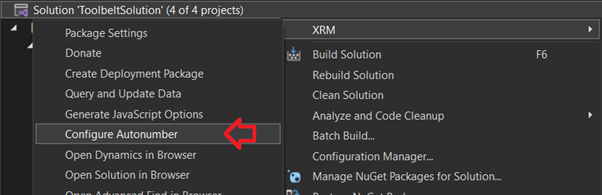
To configure autonumber fields right click the solution in solution explorer and elect Configure Autonumber in the XRM menu
To view and configure autonumbers for a specific table, search and select the desired table from the autocomplete dropdown
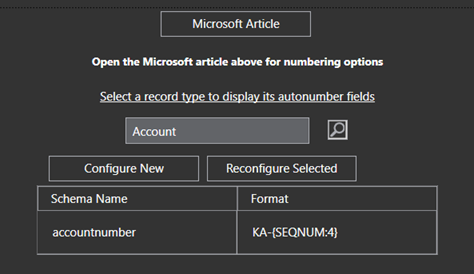
To configure a new column as an autonumber select Configure New, otherwise to update an existing column click Reconfigure Selected
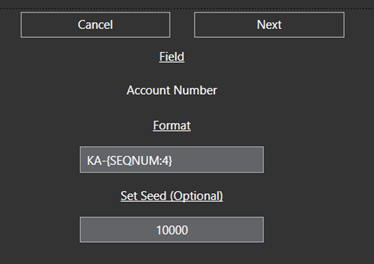
See Microsoft documentation linked below for Autonumbering options
https://learn.microsoft.com/en-us/dynamics365/customerengagement/on-premises/developer/create-auto-number-attributes?WT.mc_id=DX-MVP-5004940&view=op-9-1#autonumberformat-options
 JM SOFTWARE