The ribbon flyout feature provides a way for users to generate an email or document from a template with one click from a ribbon flyout. Each template can be configured with ribbon generation options on the ribbon tab and where configured will be displayed on the form ribbon for its source type
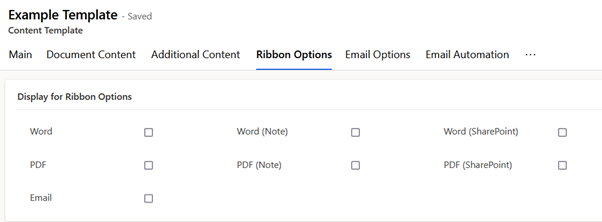
The screenshot below shows ribbon options available
This screenshot shows the ribbon flyout where 1 template has been configured for the email, word and pdf options for the account table
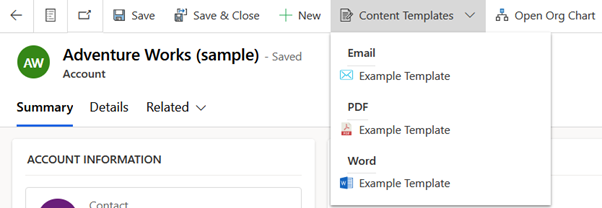
Note the ribbon display will start to group in submenus and provide lookup search options as more templates are enabled for a specific type
See here for an example template configured for the ribbon
 JM SOFTWARE