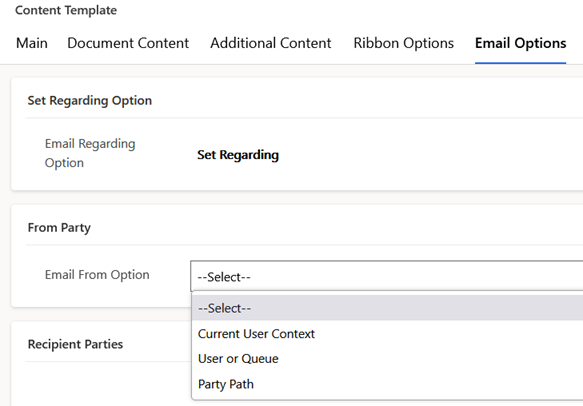
The email sender for a template is configured on the email options tab of the content template form. The configuration will be populated into the from party of an email when it is generated for a template. Configurations options for the email sender are as listed and shown in the screenshot below
- Current User Context – the user creating the email will be set as the from party
- User or Queue – an explicitly selected user or queue will be set as the from party. The user or queue is made available for selection once this picklist option is selected
- Party Path – a token is defined as the from party. This option uses the same token types as content tokens and can be either a field token to pull the sender from the source record context, or a first token to pull from a settings record. The value resolved by the token should be queue or user record which has an approved mailbox for sending emails
 JM SOFTWARE