The state transition type populates a column when the record transitions into a state defined by a FetchXml filter. Optionally a precondition can also be set so the calculation only triggers when it transitioned from a specific previous state into that new state
To create a state transition calculation, in the new calculated field form select the state transition type, and the table and column to calculate in the first form section. This example will populate a column reopened at when a resolved case is reopened
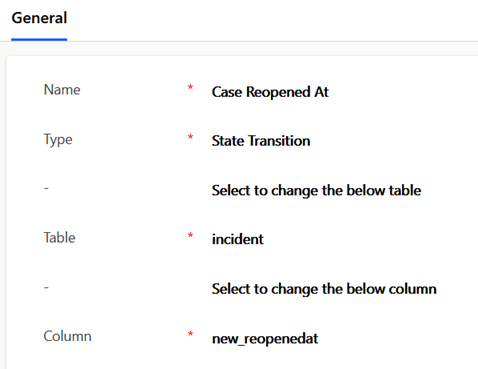
The next state transition section includes the value to populate into the column, and FetchXml filters defining the state transition
This example uses the modified on value option as it captures the time the event happened. The FetchXml filters for a case reopening are a simple postcondition of the case being active, and a precondition the case was resolved

The options for the value to set when the state transition occurs are listed below
- Clear Value
- Field Value (requires selection of a column to populate from)
- Explicit Value (a value can be entered)
- Modified By
- Modified On
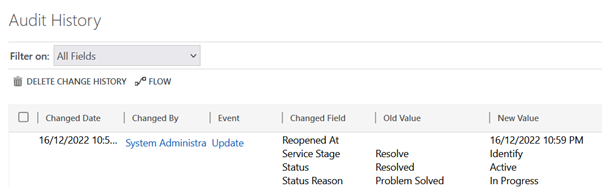
This screenshot shows an occurrence of the example state transition calculation in the audit history of a case
 JM SOFTWARE