The first rollup type populates a column with the first result from a query on related records. The related records can be filtered and sorted in the rollup so the resulting value matches a given requirement
In this first section of the form when creating a first rollup, the calculation type of rollup must be entered, before the selecting first as the rollup type. As usual the table and column to populate are also entered
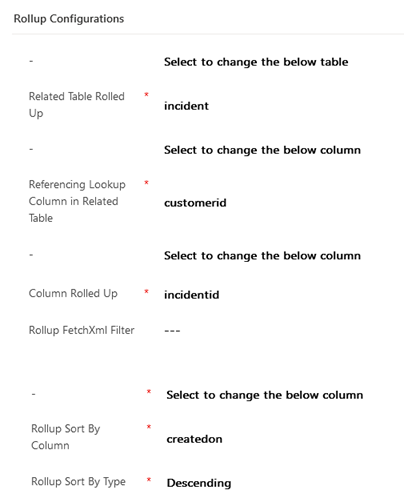
This example below will populate a column in the account table with the most recently created case where that account is the customer

In the next section all remaining information required for the rollup is entered. Aside from the type and columns defining the rollup, an important aspect here is the rollup order. Specifically created on is ordered descending in the rollup to ensure the most recently created case is picked as the first result
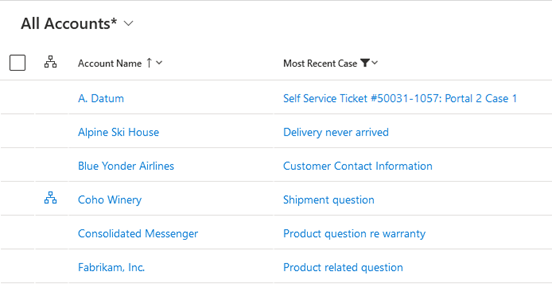
This screenshot shows the example rollup column displaying in list view after populating into sample data
 JM SOFTWARE