The count rollup type populates a whole number (integer) column with the number of records related to it through the one-to-many relationship. As with all rollups a filter can be added to limit the set of records included in the count
To create a count rollup, open the new calculated field form, then select Rollup as the Type, and Count as the Rollup Type. The example shown detailed below will count the number of active course enrolment records linked for a contact

The next rollup configurations section has details for the records to be include in the rollup. In this example the lookup column new_contact links course enrolment records to the contact table. Additionally, a FetchXml filter is defined to only include active state records in the count

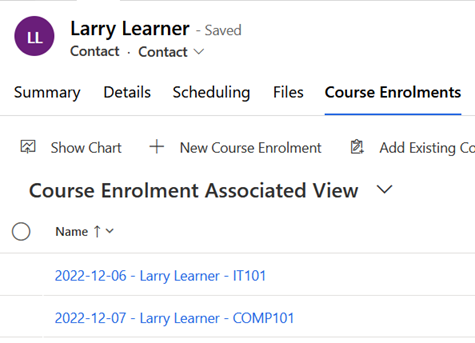
Visualising the output of this rollup calculation, the contact here with 2 related course enrolments
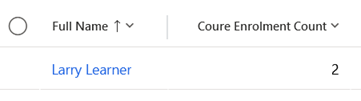
Has 2 populated into the Course Enrolment Count column
Note to optimise performance and avoid deadlocking, count calculations only do changes incrementally by adding and subtracting one from the total. This means all values need to initialised into the correct state on day zero. To achieve this run the recalculate all process after creating the calculated field to ensure all existing records initialise to a correct value
 JM SOFTWARE