The Child Autonumber feature auto-populates a string with a value from its ‘parent’ record suffixed with a unique number.
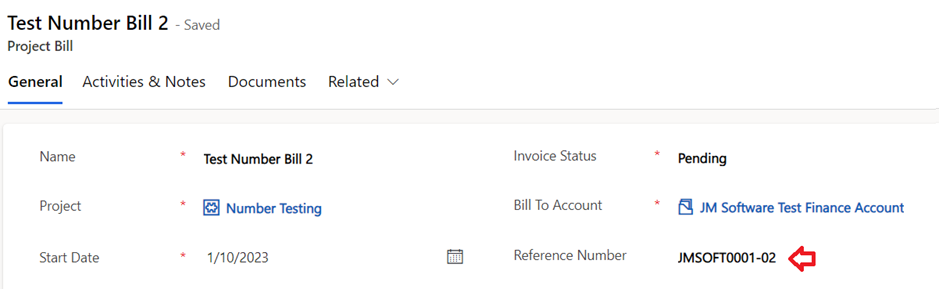
In the following example we have a project which may have many project bills invoiced to the customer. Given a project code of PR00001, we can generate unique references for each of these project bills as PR00001-01, PR00001-02, PR00001-03 etc.
To create a calculated field of type child autonumber, enter the type, table, and column to auto-populate. in the first general section.

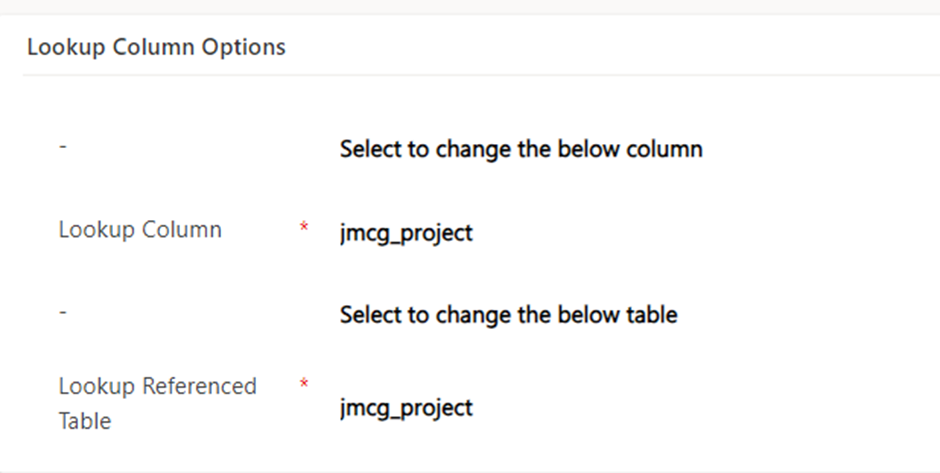
In the next lookup column options enter the table for the parent record and lookup column which references it.
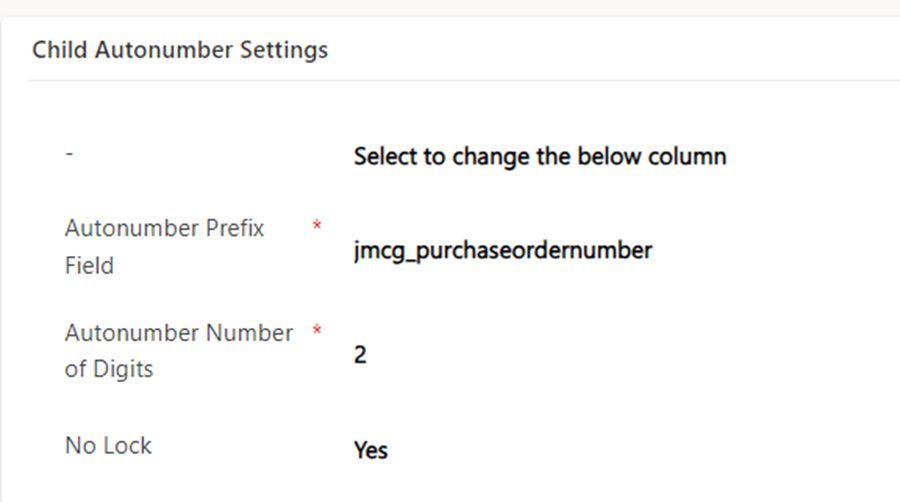
The next section child autonumber settings contains the field to pull from the parent, and the number of minimum number of digits for the suffix.
The no lock field should only be used if there is no concern of concurrent number generation. By default, the calculation will lock the parent record during number generation to ensure uniqueness, setting no lock to yes means the lock on the parent record will not be applied and there will be a risk of duplicate numbers in cases of concurrent child record creation.
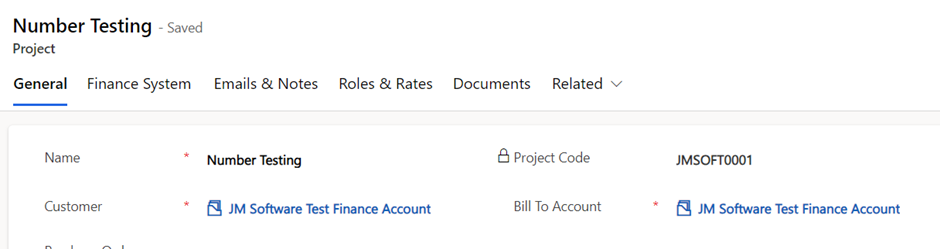
With the example child autonumber configured above, this screenshot we have an example project, for which I will add a child project bill.
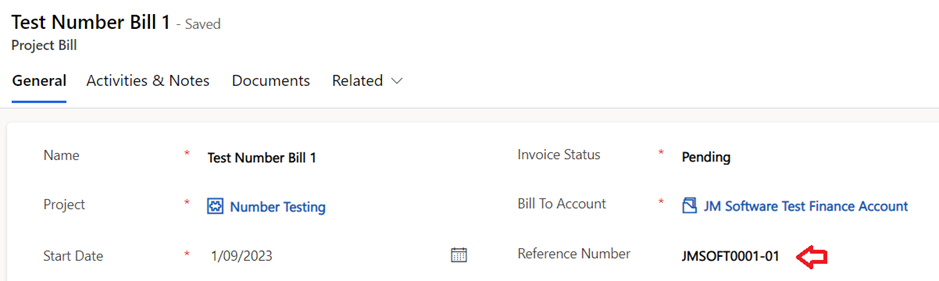
This screenshot shows an example first project bill number generated.
And this screenshot shows an example second project bill generated.
 JM SOFTWARE